

Mobile apps
A mobile app is for the people who do not sit at a desk: the warehouse picker with a scanner, the security guard on patrol, the driver on a delivery run, the customer on the move. We build Android and iOS apps that keep working without a signal and sync with your systems the moment it comes back.
- Works without signal
- Conflict rules
- Wired to your systems
Offlineworking and sync, designed in from the start
Our approach
Who a mobile app is for
A web system is fine in the office. In the warehouse, on site or on the road, people hold a phone in one hand and want the job done in three taps. That calls for an app made for exactly this: big buttons, a barcode scanner, a photo from the camera, a check-in with GPS position, and controls that work with gloves on.
We build two kinds of app. Internal ones for your staff, tied into your ERP, warehouse or maintenance system. And customer-facing ones, when you want to give customers a faster route to an order, a booking or a status update than your website offers.
Before concluding that you need an app, we check whether a well-built mobile website would do the same job. If your people always have signal and do not need the camera, a scanner or notifications, a web version is cheaper to build and to maintain. An app makes sense when the phone has to do something a browser cannot do reliably.
Benefits
What you get
Android and iOS
One codebase with Flutter or React Native, or native when the hardware calls for it.
Works without signal
Data stays on the device and syncs as soon as the connection returns.
Conflict rules
It is clear which change wins when two people edited the same thing offline.
Wired to your systems
ERP, warehouse, online store or maintenance system, all over an API.
Store publishing
Google Play, the App Store or private distribution to your devices only.
The app is yours
Source code and developer accounts are in your name.
Offline as a requirement, not a bonus
In many warehouses, basements, steel-framed halls and rural areas the signal is weak or absent. An app that shows “No connection” and stops is useless there. So the field and warehouse apps we build keep data on the device: scanned items, completed tasks, photos, signatures. When the connection returns, they sync everything with the server in the right order.
The hard part is what happens when two people change the same thing while both are offline. That gets settled at the design stage, with clear rules on which change wins, when to ask for confirmation and how to show the conflict to the user. It is not something you can bolt on at the end.
Examples from practice
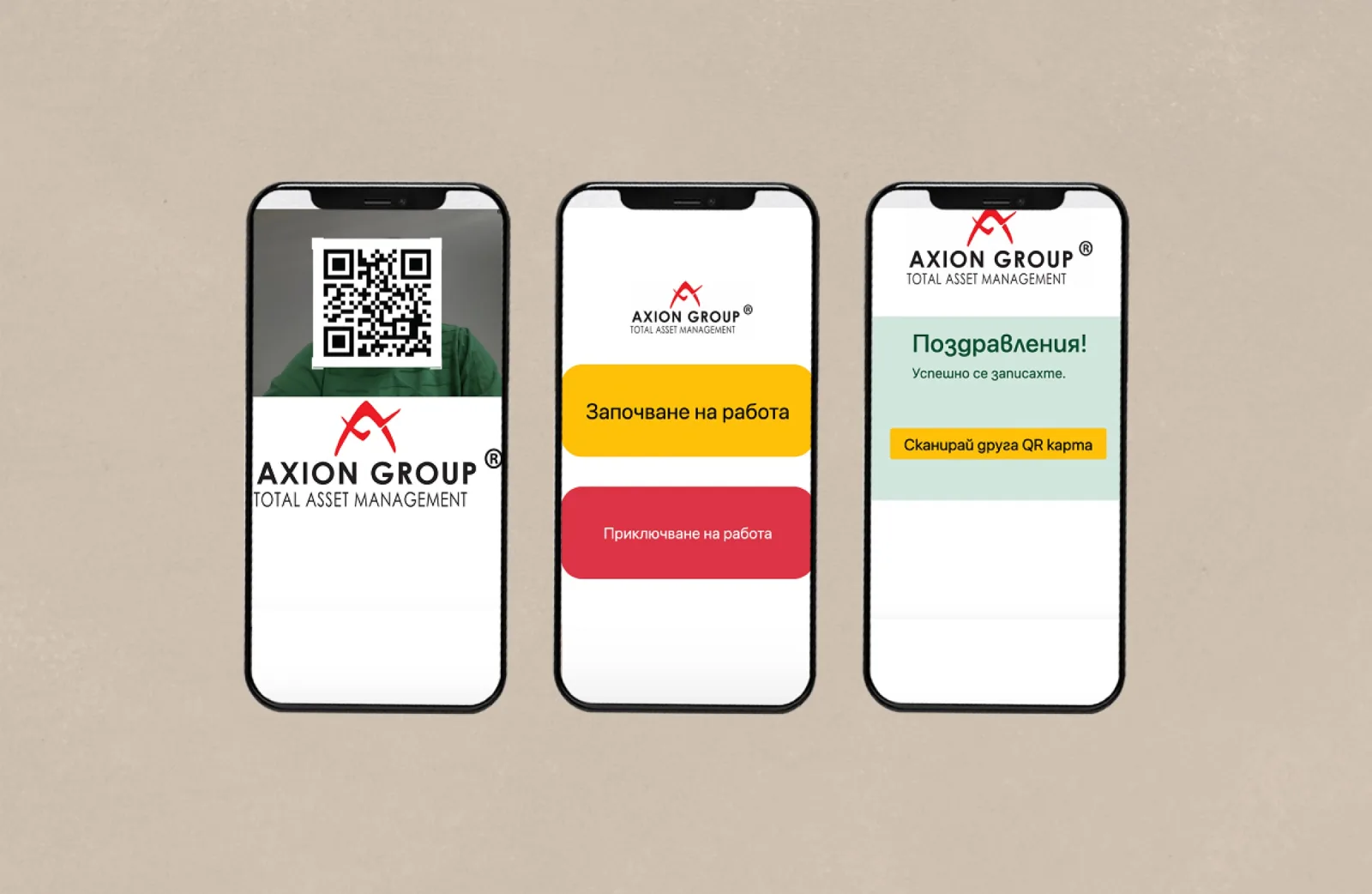
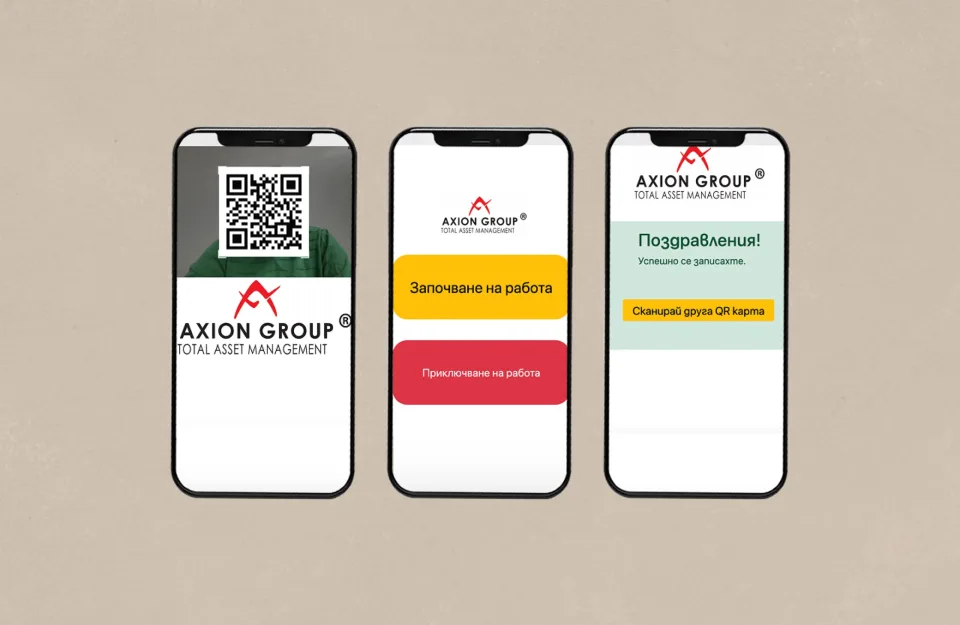
For Axion Security we built a check-in app: a guard records attendance at a site and the data goes straight to the central system. Other jobs where a mobile app is the right tool:
- Goods-in and goods-out in the warehouse, scanning with the phone camera or a rugged Android terminal.
- Stocktakes that carry on in dead zones and merge into a single report at the end.
- Site patrols and inspections, each checkpoint with a time, GPS position and photo as proof.
- A driver app: today's route and drops, recipient signature, photo of the goods on delivery.
- A customer app for orders, status and notifications, running on the same database as your online store.
Flutter, React Native or native
Most of our apps are built in Flutter: one codebase for Android and iOS, a fast interface and solid support for offline work. React Native makes sense when you have a web team working in React and want them to look after the mobile side too. We go native — Kotlin for Android, SwiftUI for iOS — when the app has to work closely with hardware: a particular scanner, Bluetooth devices, or background tasks the operating system would otherwise kill.
The choice is not a matter of taste. We tell you what we recommend and why, based on the devices your people use, how long the app is expected to live and who will maintain it after us.
Whatever the technology, we test on the devices your people actually carry — including the older, cheaper phones — in sunlight, with gloves and with the battery running low. That is where you see the difference between an app that works in the office and one that works on the loading dock at six in the morning.
What you get
An app published on Google Play and the App Store, or distributed privately to your own devices only. Along with it comes the server side and API if they do not already exist, an admin panel and the source code. Publishing and getting through store review is our job, but the developer accounts are in your name so the app is genuinely yours.
- An app for Android and iOS, or just the platform you need.
- Offline working and sync with defined conflict rules.
- A server side and API connected to your systems.
- Publication on Google Play and the App Store, or private distribution.
- Source code, and developer accounts in your name.
Support after release
Mobile platforms change every year: a new Android or iOS version, new store rules, new phone models. Support covers updating the app so it is not pulled from the store, tracking crashes and fixing them, and adding features in stages. If the app is critical — the warehouse stops without it, say — support runs 24/7. We also keep an eye on how quickly the app opens and syncs, because it should not get slower as data builds up.
The process
How the work goes
Five steps, each with a result you see and approve before we move on.
Out in the field
We watch how people work: which devices, gloves or not, signal or none.
Prototype on a phone
A clickable model of the main screens you can try in your hand before coding starts.
Build and test
We build the app and server side, testing offline and on real devices.
Publish
We take it through Google Play and App Store review, or distribute it privately.
Keep it current
New OS versions, crash fixes and new features, in stages.
Technologies
What we work with
- Flutter
- Dart
- React Native
- Kotlin
- SwiftUI
- REST API
- PHP
- MySQL
- Google Cloud
Questions
Frequently asked questions
How much does a mobile app cost?
It depends on the number of screens, whether offline working is needed and whether a server side already exists. After a conversation and a prototype we give you a written estimate by stage. An app that uses an existing API costs considerably less than one where we also build the back end.
Does it have to be on both Android and iOS?
Not necessarily. Internal warehouse apps are often Android-only because the terminals are. Customer apps usually need both, and with Flutter that does not double the price.
How long does store publishing take?
Review on Google Play and the App Store usually takes anywhere from a few hours to a few days, though the stores sometimes ask for changes. We allow time for that in the schedule and prepare the listings and screenshots in advance.
Who owns the app?
You do. The developer accounts are in your name and the source code is handed over. That matters if you ever change supplier.
What do you need from us?
Access to the people who will use the app and the devices it will run on. For a public app, developer accounts with Google Play and Apple; we help with registering them.
Portfolio
Related projects
Do your people work away from a desk?
Tell us what they do in the field and on which devices. We will suggest what the app should look like and which parts to build first.
- Phone
- +359 895 629 012
- office@enter.bg
- Address
- Pernik, 2 Krasnodar St, Bulgaria